
Sales Attribution Reports - Real ROAS by Channel
Stop guessing which ads make money. Start knowing.
Start 14-day free trialNo credit card required. Connect your WooCommerce or Shopify store and see real ROAS in minutes.
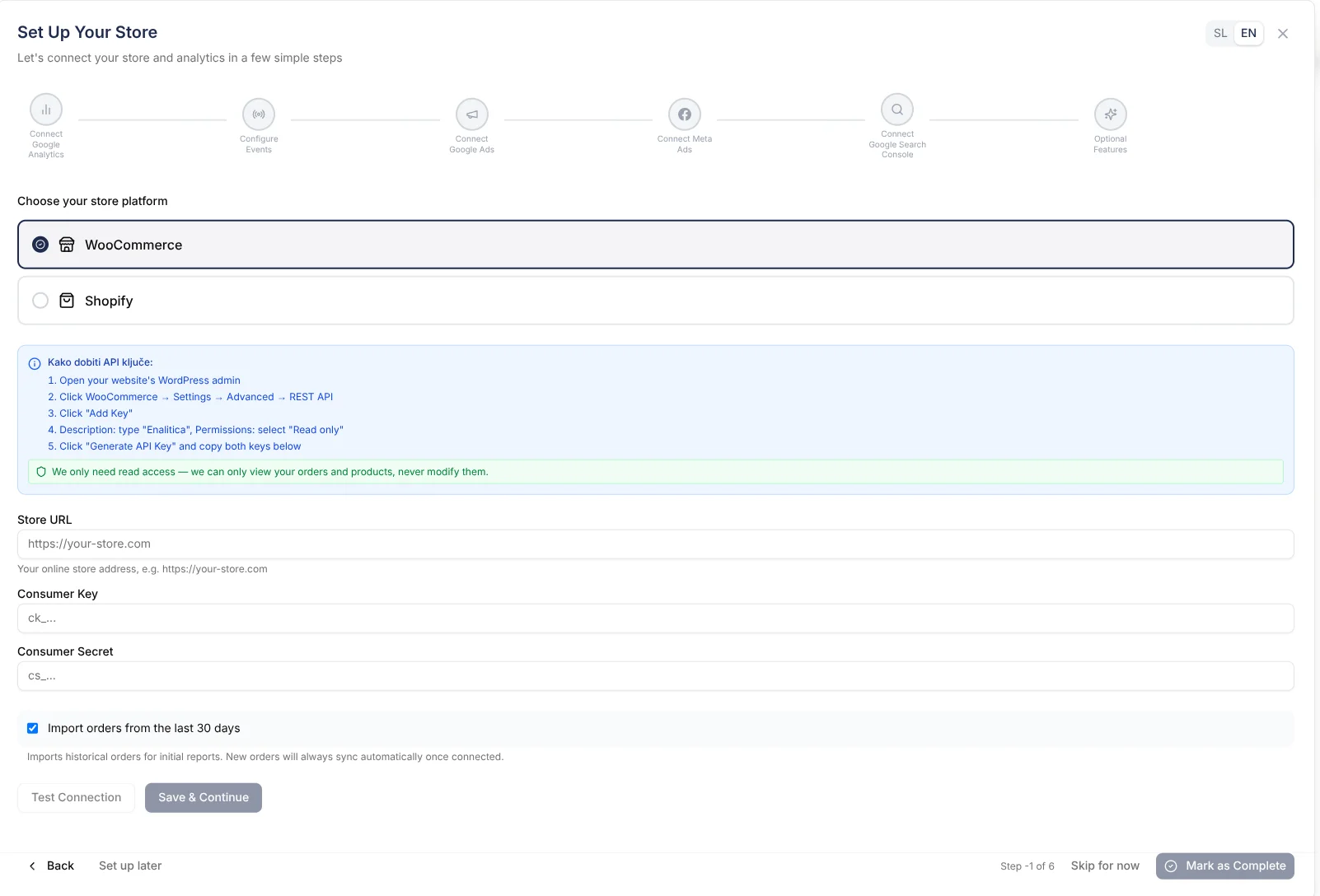
Set Up in 5 Minutes, Not 5 Hours
Our guided onboarding wizard walks you through everything — connect your WooCommerce or Shopify store, sync your orders, and configure attribution. No developer needed, no manual setup. You are ready to see real ROAS before your coffee gets cold.
Real ROAS. Not GA4 Estimates.
GA4 shows modeled conversions. We show actual orders with actual revenue. See your true Google Ads ROAS — down to the keyword that drove each sale.
Every Channel. One Dashboard.
Google Ads, Meta Ads, Organic, Direct, Email — all in one view. See which channels close deals and which ones assist. No more juggling 5 different reports.
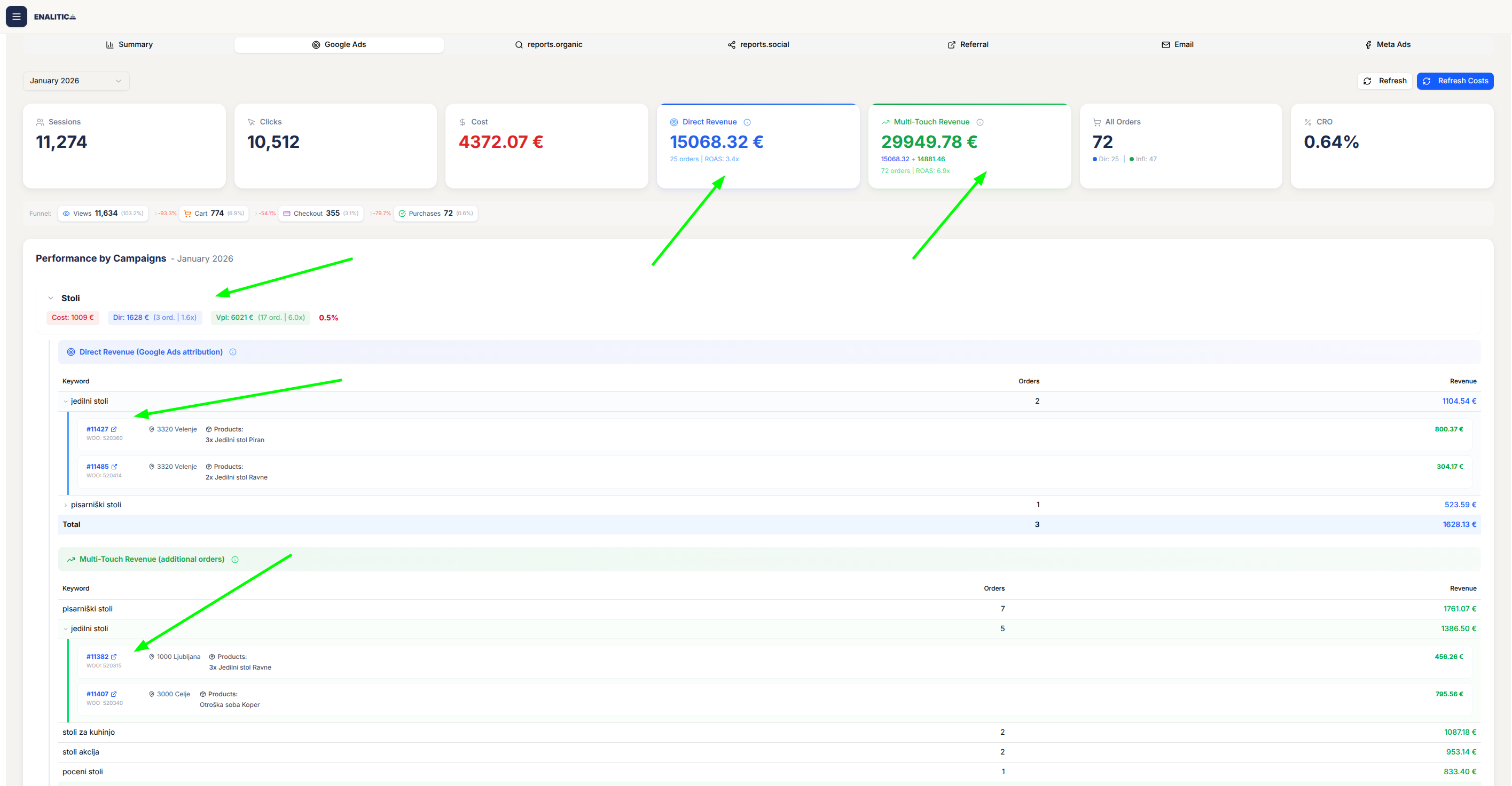
Click Any Number. See the Orders.
Don't trust aggregate stats? Click any metric and see the actual orders behind it. Customer names, order values, WooCommerce IDs. Real transactions, not estimates.
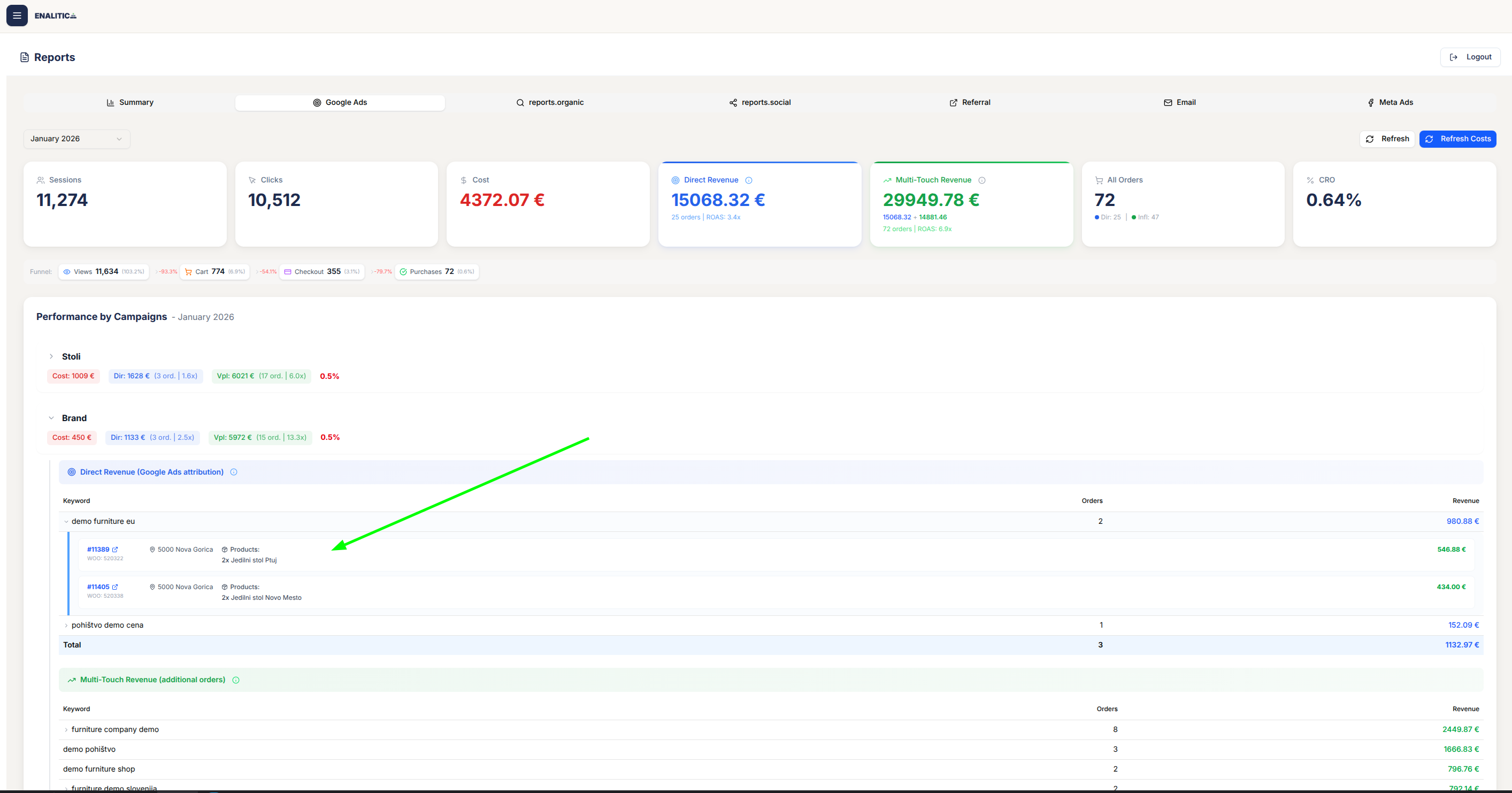
See How Channels Work Together
"Google Ads + Organic: 47 orders." Know when channels assist vs. close. Stop cutting budgets that actually drive revenue — even when they don't get last-click credit.
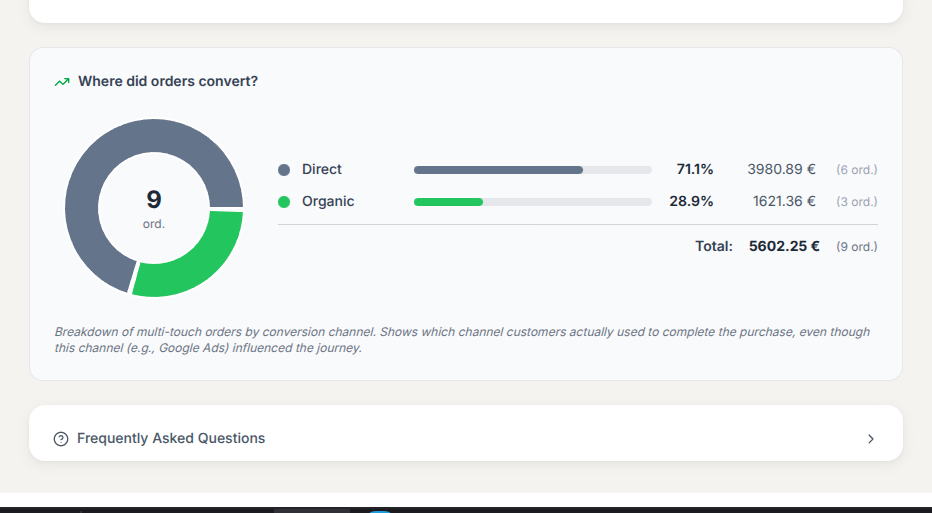
Questions you can answer
Insights you get at a glance from the dashboard.
“What is our true Google Ads ROAS — including orders where ads assisted but didn't close?”
“How many orders touched both Meta Ads and Organic before converting?”
“Which keywords are driving actual revenue vs just clicks?”
Frequently Asked Questions
How is this different from Google Analytics?
GA4 shows sessions and modeled conversions. We show actual orders with verified revenue. Every tracked order links back to WooCommerce with payment confirmation. What you see is real money, not estimates.
What attribution windows do you use?
90 days for Google Ads (gclid), 28 days for Meta Ads (fbclid), 30 days for organic. Matches platform defaults so your numbers align with what you see in Google Ads Manager.
Can I drill down to individual orders?
Yes. Click any metric to see the actual orders behind it. Every number links to real transactions with customer details, order values, and WooCommerce IDs.
Ready to see it in action?
Full access for 14 days. Connect your store, sync your orders, and see real revenue attribution — all in under 5 minutes.
Start your 14-day free trial