
Connect ChatGPT to Your Store Data (MCP): Ask Anything
Connect ChatGPT to your store data over MCP and ask plain questions: revenue, campaigns, customer journeys, won leads. Read-only, no customer personal data.

Tilen Ledic
Written by
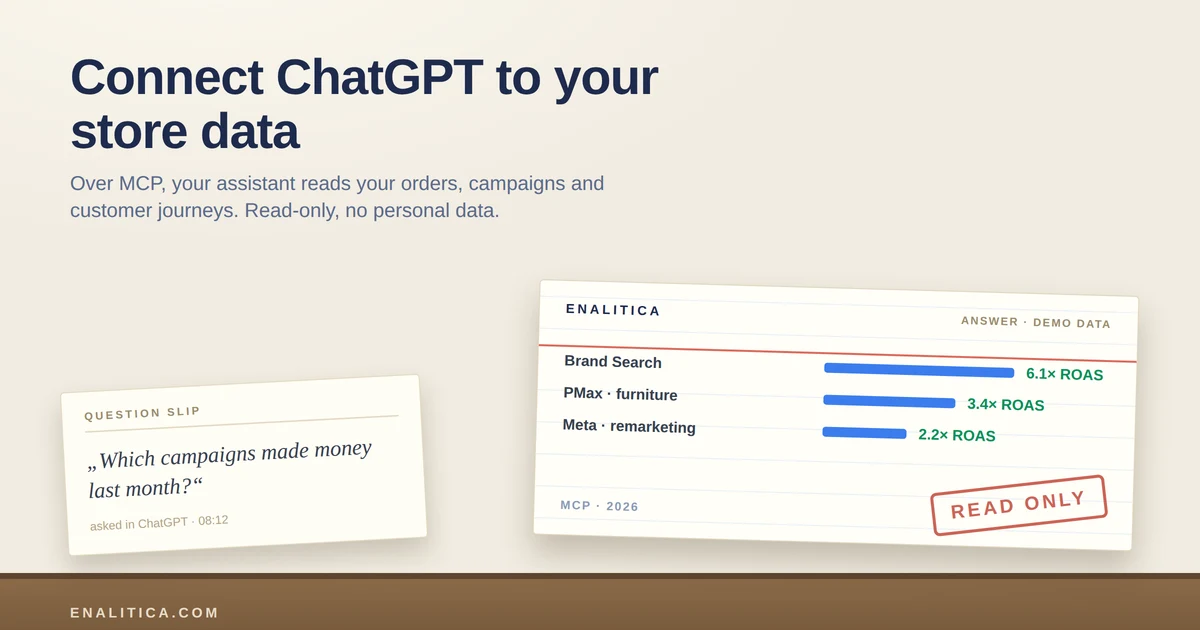
Ask ChatGPT "which of my campaigns made money last month" and you get a polite guess, because ChatGPT has never seen your campaigns. The model is smart; it is just blind to your numbers.
That changed for Enalitica clients this week. You can now connect ChatGPT to your store data through MCP, an open standard both of us speak, and the same connection works for Claude and Gemini. Your assistant stops guessing and starts reading your real orders, campaigns, customer journeys and enquiries, in plain language, read-only, without ever seeing a customer's name.
This article explains what MCP is in owner terms, what you can ask once your AI sees your analytics, what it still cannot answer, and how the connection is secured.
What Is MCP and Why Does ChatGPT Need It?
MCP (Model Context Protocol) is an open standard that lets an AI assistant ask a data source questions through a fixed set of safe, predefined queries. Think of it as a socket: the protocol defines the plug, Enalitica provides the socket, and ChatGPT, Claude or Gemini plug in with your permission.
Without that socket, an assistant answers from general knowledge, which is why its marketing advice always sounds right and never matches your account. With it, the assistant calls Enalitica in the background, receives your actual figures, and reasons over those.
The industry is converging on this fast: OpenAI documents MCP connectors natively, Shopify ships MCP endpoints on stores, and analytics tools are following. The difference between tools is no longer whether an AI can connect, but what the data behind the connection actually knows.
What Can You Ask When Your AI Sees Your Analytics?
Everything Enalitica computes becomes a question you can ask in your own words. The assistant picks the right query itself; you never see a database. The animation below shows the feel of it, with invented demo numbers; with your connection, the same questions run on your real data.
The eleven queries behind the curtain group into five themes:
- The month at a glance: revenue, orders, ad spend, blended ROAS, and profit with POAS when your cost prices are loaded. "How was August compared to July?"
- Channels and campaigns: order-based attribution per channel, top campaigns per platform with spend, revenue and ROAS, plus wasteful search terms. "Which Google Ads campaigns spent without converting?"
- Customer journeys: the full timeline of one order or one enquiry, and patterns across hundreds of journeys: typical touches, decision window, top pages read right before purchase. "What do buyers read just before they order?"
- Lead quality (service businesses): enquiries by status with deal values, won versus lost, without a single contact detail. "Which campaign brings enquiries that actually close?"
- Organic search and products: Search Console clicks and queries, and product performance.
Because the queries sit on the same engine as our reports, they work identically for a shop, a service business, or a hybrid of both. A service company asks about enquiries and outcomes; a shop asks about orders and margins; a hybrid asks both in one conversation.
An AI assistant is only as good as the data it is allowed to read. Connected to order-based attribution and stored customer journeys, it answers questions a generic analytics export cannot even represent.
Which Questions Can an AI Still Not Answer?
An honest launch post names the limits, so here they are. The connection is deliberately narrow, and three kinds of questions stay outside it.
First, anything that changes something. The access is read-only by design: the assistant cannot pause a campaign, edit a budget, touch an order or send an email. It reads, you decide, which is the same rule our campaign verdicts follow.
Second, anything not in the eleven queries. The assistant sees exactly the answers we expose, nothing else. There is no "run any query" backdoor, because an allowlist you can audit beats a clever hole you cannot.
Third, the future and the competition. Your data describes what happened in your accounts. An assistant reasoning over it can spot patterns and suggest hypotheses, but a forecast is still a hypothesis, and your competitor's numbers are still invisible.
Security by Design: Read-Only and No Personal Data
Connecting an AI to business data deserves paranoia, so the design assumes it. Five properties hold on every single call:
- Read-only, always. There is no write operation in the entire interface.
- No customer personal data, ever. Answers contain amounts, channels, page paths and campaign names; never names, emails, phone numbers or addresses. Whatever an answer contains is visible to your AI provider as part of your conversation, which is exactly why personal data is excluded at the source rather than filtered later.
- One connection, one account. A credential is bound to a single Enalitica account; there is no way to ask about anyone else's data.
- Every call is logged. The AI dostop page in Enalitica shows each question's query, when it ran and how long it took.
- Revocation is instant. Remove the connection or the key and the next call is refused, not the next day, the next second.
Whatever a connected assistant reads becomes part of your conversation with your AI provider. Enalitica therefore never returns customer personal data over MCP: the safest data is the data that never leaves.
Connect ChatGPT to Your Store Data With Enalitica MCP
To connect ChatGPT to your store data, open ChatGPT Settings, choose Apps and Connectors, enable Developer mode and add https://app.enalitica.com/api/mcp as a new connector. ChatGPT opens an Enalitica consent screen where you sign in, pick your account and approve read-only access; the whole flow takes about half a minute and no key is typed anywhere.
Claude, Gemini and Grok use the same socket:
- claude.ai: Settings, Connectors, Add custom connector, same address, same consent screen.
- Claude Code and Gemini CLI: create an API key on the AI dostop page in Enalitica (shown once, valid one year) and add the endpoint with an Authorization header.
- Gemini Enterprise: add the endpoint as a custom MCP server; the consumer Gemini phone app does not support custom connectors yet, which is Google's limit, not ours.
- Grok: on grok.com open Connectors, choose New connector, Custom, and paste the same address; sign-in runs through the same Enalitica consent screen, no key needed. On xAI Business and Enterprise plans a team admin approves the connector first, and developers can use the endpoint with an API key through the xAI API's remote MCP tools. One setting to check: Grok trains on conversations by default, so switch that off in your Grok privacy settings before you ask about your numbers.
AI dostop is available on the Growth plan and higher, and your account team switches it on. Keys and connections are managed on one page: create, see last use, revoke.
Three Everyday Scenarios for AI Analytics Questions
Morning coffee, phone in hand: "How was yesterday, and is this month ahead of last month?" The assistant reads the month overview and answers in three sentences, no dashboard opened. Our clients already get the morning email; this is the same reflex, but conversational.
Before the agency meeting: "List my five biggest campaigns last month with spend, revenue and ROAS, and the search terms that spent with zero conversions." Two questions, and you walk in with the same order-based numbers the Poročila page shows, phrased your way.
Service follow-up on Friday: "How many enquiries this week, from which channels, and what happened to last month's? What did the won ones read on our site?" The answer combines lead quality with journey patterns, and the last question is one no spreadsheet answers.
New in September 2026: the same connection answers for the channels that used to live only in their tabs. "How did our last Klaviyo campaign do, and what does Klaviyo claim?", "Which pages do AI assistants send people to?" and "What did the ChatGPT ads bring, next to OpenAI's own figure?" each read the tab in question; the ChatGPT ads attribution guide shows the last one in detail.
Frequently Asked Questions
What is an MCP server in ecommerce analytics?
An MCP server is a data source's endpoint for AI assistants: it exposes a fixed set of safe, predefined queries that a model like ChatGPT, Claude or Gemini can call with the owner's permission. In ecommerce analytics that means the assistant reads real revenue, attribution, journeys and campaign figures instead of guessing from general knowledge.
Is it safe to connect ChatGPT to my business data?
It is as safe as the narrowest access you can grant. Enalitica's MCP is read-only, returns no customer personal data, binds each credential to exactly one account, logs every call visibly, and revokes instantly. What an answer contains does reach your AI provider as part of your chat, which is precisely why personal data never enters an answer.
Which AI assistants work with Enalitica MCP?
ChatGPT (Developer mode connector), claude.ai (custom connector), Grok (custom connector on grok.com), Claude Code, Gemini CLI and Gemini Enterprise all connect over the same endpoint. ChatGPT, claude.ai and Grok use a sign-in consent flow; the developer tools use an API key created in Enalitica. The consumer Gemini phone app does not support custom MCP connectors yet, and Grok users should turn off training on conversations in their Grok settings.
Does the AI see my customers' personal data?
No. Answers are built from allowlists that contain amounts, dates, channels, campaign names and page paths, never names, emails, phone numbers or addresses. This holds for every account and every question, and it is enforced in code and covered by tests, not left to configuration.
Can I connect GA4 to ChatGPT?
Not directly: Google offers no MCP connector for GA4 and the GA4 interface has no "ask ChatGPT" option, so people end up exporting reports and pasting them into a chat. Enalitica closes that gap for stores that connect GA4 as a data source: the same MCP connection that answers questions about orders and campaigns also answers organic search, channel and landing page questions from your connected Google data and your orders, read-only and without customer personal data. Ask "which landing pages brought the most organic orders last month" and the answer comes from your own numbers rather than from a pasted table.
See your real numbers
Import 30 days of orders or leads during a 5-minute onboarding. Works for e-commerce and service businesses.
See plans and pricing