
Performance Max Campaigns: Controls and the Brand Leak
Performance Max campaigns quietly serve your own brand searches. What you still control, how to set brand exclusions and how to verify PMax on your orders.

Tilen Ledic
Written by
Performance Max campaigns are Google's default answer for online stores: one budget, AI, and ads across every Google surface at once. They can work brilliantly, but they carry a trait the ROAS column in Google Ads will not show you: without exclusions, part of the budget buys searches for your own brand, meaning people who were already looking for you by name. This guide explains what you still control in Performance Max, how to stop Google from buying your own visitors, when the automation earns its keep, and how to verify its results on your own orders. Facts verified on 9 August 2026; Google changes these settings often.
What Performance Max campaigns are and where they serve
Performance Max (PMax) is Google's automated campaign type that serves ads from one budget across all Google surfaces: Search, Google Shopping, YouTube, the Display network, Gmail, Discover and Maps. You provide the budget, goal, creatives and product catalog; Google decides where, to whom and in which combination the ad appears. PMax replaced Smart Shopping campaigns in 2022 and is now the center of most retail accounts.
One number matters most for stores: according to smec's analysis of more than 4,000 campaigns, 74 to 97 percent of PMax spend goes to ads built from the product feed. Put plainly: for an online store, PMax is mostly Shopping with less control and more reach. And the black-box logic keeps spreading: in April 2026 Google made AI Max for Search generally available, adding automatic search-term expansion to classic Search campaigns too, and in September 2026 it starts switching itself on in some of them.
Controls in Performance Max: what you set and what Google decides
In a Performance Max campaign you set the budget, the target return, countries, brand exclusions, negative keywords, creatives and the catalog; Google alone decides how much budget goes to Search, YouTube or Display, and which searches the campaign covers. The overview (verified 9 Aug 2026):
| Setting | Who decides |
|---|---|
| Budget and target ROAS or CPA | ✓ you |
| Countries and languages | ✓ you |
| Brand exclusions (brand list) | ✓ you |
| Negative keywords (up to 10,000 per campaign) | ✓ you |
| Creatives, product feed, search themes | ✓ you |
| Budget split across channels (Search, YouTube, Display) | |
| Which searches the campaign covers | |
| Placements and creative combinations |
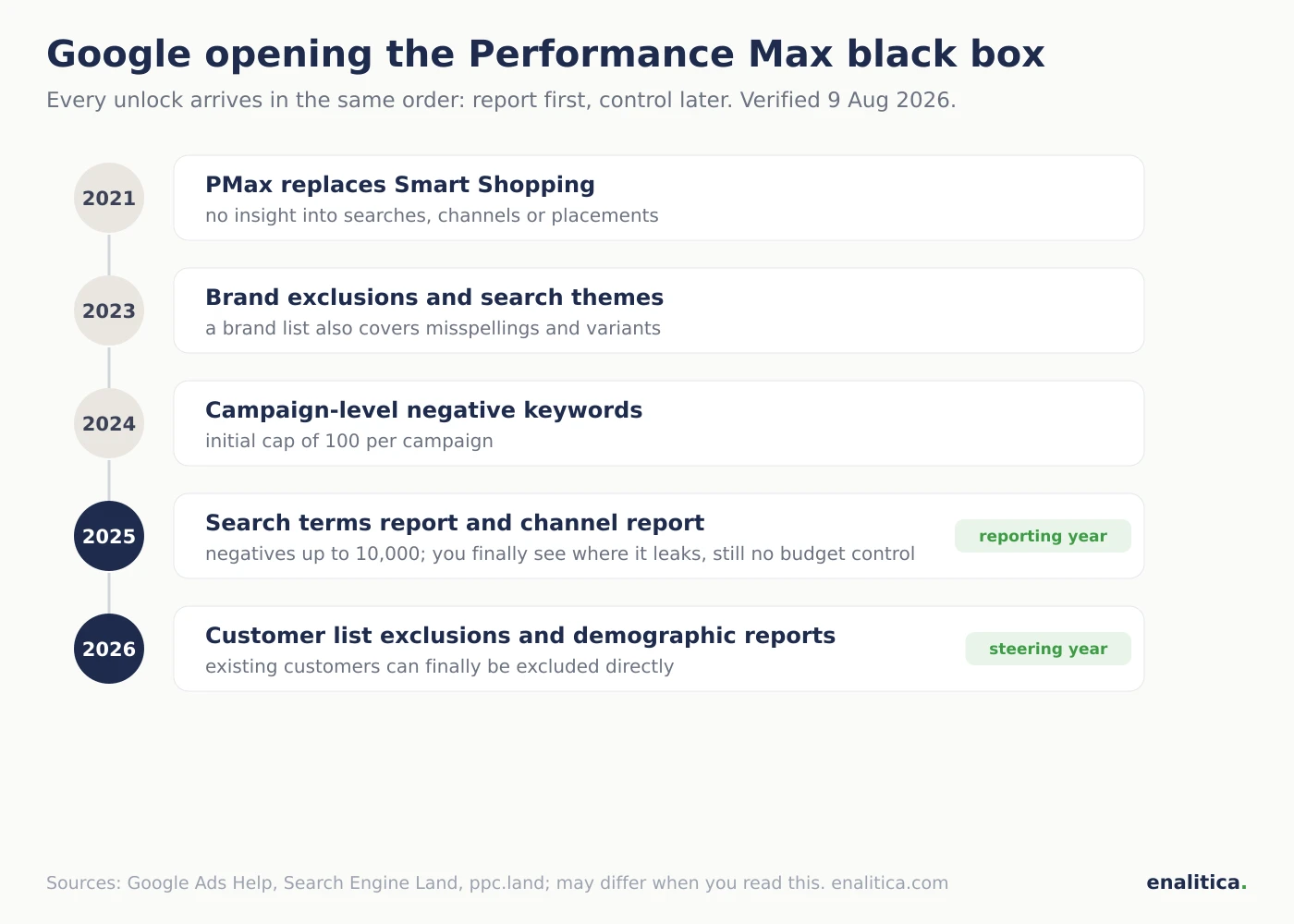
The control you have today was unlocked gradually, always in the same order: report first, control later (maybe). Brand exclusions arrived in 2023, campaign-level negative keywords in late 2024 (the cap rose from 100 to 10,000 in March 2025), a real search terms report in March 2025, channel-level performance reporting in mid 2025 (display only, no budget steering), and first-party audience exclusions plus demographic reporting only in 2026. Budget still cannot be steered between channels; the only Google type where you buy the YouTube, Discover and Gmail feeds with channel controls is Demand Gen campaigns.
Performance Max loves searches for your own brand
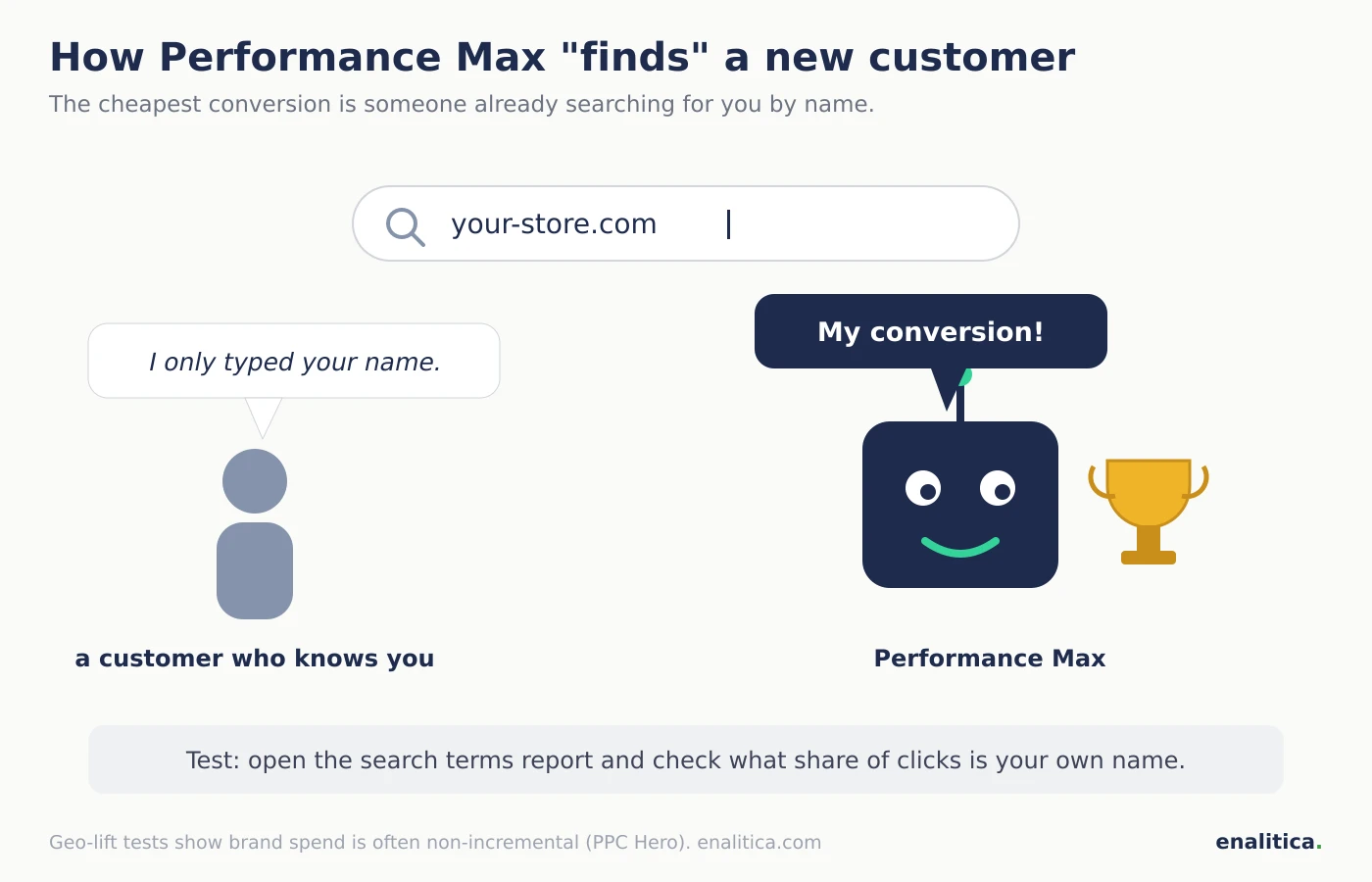
Performance Max without exclusions also competes on queries containing your store's name, meaning customers who had already found you. The algorithm optimizes for the cheapest conversions, and nobody converts cheaper than someone typing your exact name into Google. The result: a campaign meant for new customers harvests demand that would have arrived anyway, and reports a heroic ROAS.
The credible measurements (verified 9 Aug 2026). Optmyzr measured search-term overlap between PMax and Search campaigns on 503 accounts: 91 percent of accounts had it, and where the two overlapped, the Search campaign beat PMax on conversion metrics almost twice as often. A common cause is banal: a budget-capped Search campaign becomes ineligible and PMax takes the query at a higher price. PPC Hero ran geo-lift tests and found brand spend in these campaigns entirely non-incremental: sales stayed the same without it. No credible study offers one universal "X percent of budget goes to brand" figure, because it varies wildly between accounts; we do not quote one either, we measure it per account.
Sound familiar? The same mechanic as Meta Advantage+ campaigns, only the direction differs: Meta overspends on existing customers, Google on your brand. In both cases, the ROAS the platform reports about itself is the last number to trust.
How do you exclude your own brand from Performance Max?
You exclude your brand from Performance Max with a brand list: create a list in the Google Ads shared library with your brand name, then add it to the campaign's exclusions. Google covers misspellings, variants and foreign spellings of the name automatically, which manual negative keywords cannot. The exclusion applies to the Search and Shopping parts of the PMax campaign; optionally you can keep Shopping ads serving on brand queries and block only the text ads.
Three things worth knowing:
- Brand exclusions are not negative keywords. A brand list blocks an entity (the brand with all its spellings), negatives block individual terms; for everything that is not a brand name, negative keywords remain the right lever, same as in Search campaigns.
- Run a separate Search campaign for your brand. That way you buy demand for your own name cheaply and with full control, and PMax has to prove itself on new customers. Whether bidding on your own name pays at all is covered in our guide to bidding on your own brand name.
- Verify in the search terms report. Since 2025 PMax has a real search terms report (with a privacy bucket called "other search terms"); review it monthly and add negatives directly from it.
When does Performance Max work and when does it not?
Performance Max works when the algorithm has enough signal: as orientation at least 30 conversions per month per campaign, a clean Merchant Center catalog, correctly measured conversions, and six weeks of patience, which is what Google itself recommends before judging. Google states that advertisers using PMax achieve on average 18 percent more conversions at a similar cost; that is Google's own unaudited number, but the direction holds: with a broad catalog and enough orders, the automation usually beats manual steering.
For stores with fewer orders, a Standard Shopping campaign is often the better path: less reach, full control over queries and products. Also worth knowing: Optmyzr found that feed-only PMax campaigns (catalog only, no added creatives) had a higher median ROAS than full-asset ones, which makes feed-only a perfectly legitimate tactic for stores on tight budgets. Performance Max is NOT the right pick: below roughly 15 conversions a month (the algorithm guesses), in narrow B2B niches, where margins demand control over which products get advertised, and remember that a budget jump resets the learning here too.
How do you verify what Performance Max really delivers?
You verify what Performance Max really delivers in three places outside its own reporting: the search terms report (how much of it is your brand), your orders (how many buyers are new), and your margin (whether the revenue is profitable at all). PMax ROAS by itself cannot separate those three: brand, returning buyers and genuinely new customers are blended into one number.
The manual routine, one hour a month: open the PMax search terms report and sum the clicks on queries containing your name; export the orders you attribute to Google and check which emails have no earlier order; then subtract returns and cost prices from the revenue. If the campaign is still profitable after that arithmetic, scale it with confidence; if not, you just found why a "great ROAS" produced no profit.
How Enalitica measures Performance Max from orders
Enalitica measures every Google Ads campaign, Performance Max included, from your store's orders, and shows next to Google's ROAS what Ads cannot:
- Three ROAS numbers side by side: direct (the campaign closed the path alone), multi-touch (it participated) and Google's own. The gap between ours and Google's is the fastest indicator of how much a campaign credits itself. PMax campaigns get their own group, labeled as hybrid where last click is incomplete.
- POAS per campaign: profit after cost prices, shipping and fees per euro spent (lower and upper bound), with a returns-share chip next to it. A PMax with ROAS 6 and POAS 0.9 is a pretty number and a bad business.
- New-customer share on every campaign: what part of the campaign's revenue came from first-time buyers, computed from order emails, not from Google's segments.
- Brand-search share where it can be measured honestly: for Search and Shopping campaigns we show what share of named clicks were searches for your brand. For Performance Max we do NOT invent that number: Google does not name the terms there, so we judge PMax by what Google cannot hide, orders, profit, returns and the new-customer share.
- Orders without a provable campaign sit in their own "Unknown campaign" row, never assigned to campaigns, so every campaign shows only provable revenue.
- Weekly verdicts (scale, keep, improve, stop) cover PMax with a dedicated rule: campaigns with too few conversions to learn get a consolidation proposal, not a shutdown. And returns flow back to Google daily as conversion adjustments, so Smart Bidding learns from the money you kept.
If you want to see what your Performance Max really delivers, see plans and pricing or book a live demo; your last 30 days of orders import on day one.
The order view also shows what Performance Max sells: the product mix behind its ROAS, and whether those products earn margin, is explained in our ecommerce product attribution guide.
Checklist before switching on Performance Max
- Conversion tracking is verified and the audit done; PMax learns from that data.
- A brand list is created and added to the campaign's exclusions.
- A separate Search campaign runs on your brand with its own budget.
- Negative keywords cover at least the obviously irrelevant terms.
- The campaign can realistically reach 30 conversions per month; otherwise start with Standard Shopping.
- The catalog is clean: titles, prices, stock, and cost prices for margin math.
- No judging and no major changes during the first six weeks.
- A monthly review is in the calendar: search terms report, new-customer share, profit after returns.
Frequently Asked Questions
Is Performance Max worth it for smaller stores?
Performance Max pays off for smaller stores only with enough orders, as orientation around 30 conversions per month per campaign. Below that the algorithm has nothing to reason from and scatters the budget; smaller stores often do better with a Standard Shopping campaign or a feed-only PMax, always with their own brand excluded.
How can I see search terms in a Performance Max campaign?
Since 2025 Performance Max has a real search terms report: inside the campaign open Insights and reports, then Search terms. Part of the queries stays hidden in an "other search terms" bucket, but you see most of them, and negative keywords can be added straight from the report. Before 2025 only rough category-level insights existed.
Performance Max or Standard Shopping?
Performance Max beats Standard Shopping on reach and automation and loses on control: no insight into the budget split across channels and limited influence over queries. Standard Shopping is the better pick with few conversions, thin margins and a need for control; many stores successfully run both, PMax for breadth and Standard Shopping for controlled categories.
Why does Performance Max have the highest ROAS in my account?
Because without exclusions it participates in the easiest conversions: searches for your brand and returning buyers who would have purchased anyway. Optmyzr measured search-term overlap with Search campaigns on 91 percent of accounts, and geo-lift tests show brand spend is often entirely non-incremental. Before celebrating a high ROAS, check the brand share in the search terms, the new-customer share and the profit after returns.
How many conversions does Performance Max need to learn?
Google's Smart Bidding needs at least around 15 conversions per 30 days, and the practical threshold for stable PMax operation is 30 or more per campaign. Google recommends judging a campaign only after roughly six weeks, because every major change (budget, goal, creatives) resets the learning. Fewer campaigns with more conversions beat five tiny ones.
See your real numbers
Import 30 days of orders or leads during a 5-minute onboarding. Works for e-commerce and service businesses.
See plans and pricing