
Unassigned Traffic in GA4: What It Means, How to Fix It
Unassigned traffic appears when GA4 sees a source and medium but no channel rule matches, usually a utm_medium it does not recognize. The exact rules and fixes.

Tilen Ledic
Written by
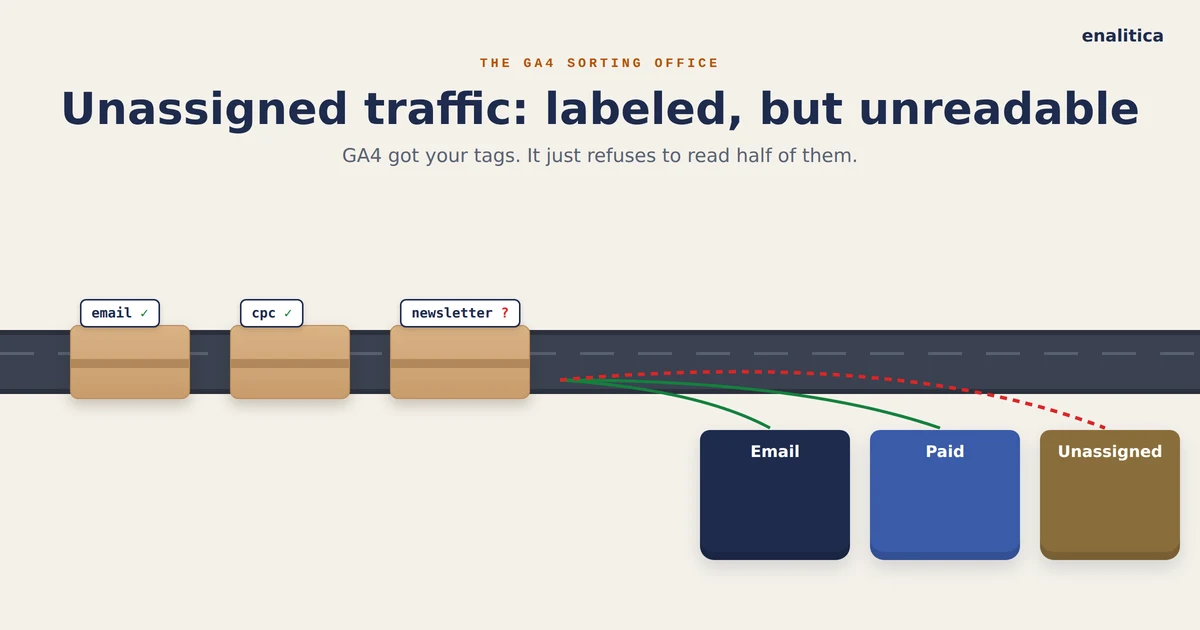
There is a channel in GA4 that sounds like a shrug, and for once the name is accurate. Unassigned traffic is what GA4 shows when it received a source and a medium for the session but could not match them to any of its channel rules, so the visit ended up filed under "we have the label, we just cannot read it".
That makes Unassigned fundamentally different from Direct, where GA4 received nothing at all. With Unassigned the data arrived and got wasted, which is actually good news for you: unlike a stripped referrer, a wasted label is almost always something you can fix yourself, because in most cases you wrote it.
This guide explains which exact utm_medium values GA4 recognizes, why perfectly sensible tags like newsletter fall through, how much Unassigned is normal, and how to repair it going forward. Along the way it shows where an order-based system like Enalitica quietly catches what GA4 drops.
What Unassigned Traffic in GA4 Actually Means
Unassigned traffic in GA4 is the leftover bucket of the default channel grouping: sessions whose source and medium matched none of the predefined channel rules. Google's own definition is one line: Unassigned is the value Analytics uses when no other channel rule matches the event data, so a session lands there only after every single rule has said no.
The crucial detail is that those rules cannot be edited: Google states that it is not possible to edit the default channel group, because it maintains one universal default for everyone. You have three ways out: change your tags to speak GA4's dialect, build a custom channel group that maps utm_medium=newsletter to Email (two per standard property, 50 channels each), or use a tool that reads the intent directly.
Unassigned is not lost data. It is labeled data written in a language GA4 refuses to learn.
That distinction matters for morale as much as for method, because a rising Direct share often has causes outside your control, while a rising Unassigned share almost always traces back to a link somebody on your team tagged.
Why Is My GA4 Traffic Showing as Unassigned?
Traffic shows as Unassigned when the session's medium value matches no channel rule, and in practice a handful of causes account for nearly all of it. Ranked by how often we see them in stores' properties:
- A utm_medium GA4 does not recognize. Values like
newsletter,banner,qrorpartnerare perfectly clear to a human and invisible to the rule set. - Case and spelling drift. The rules are effectively case-sensitive pattern matches, so
Email,E-Mailandemailwith a trailing space are three different values, only one of which classifies. - Custom URL parameters from tools that tag links their own way, or hand-built links where source and medium were swapped.
- Broken cross-domain tracking, where the session restarts mid-journey and arrives with fragments GA4 cannot piece together.
- Measurement Protocol and server-side events sent without the session's
session_id, which arrive with no traffic source GA4 can classify. - Bots and scripted visits, which carry malformed or missing values; our guide to detecting bot traffic in GA4 shows how to rule this one out first.
Notice what is not on the list: your customers. Unassigned is a plumbing problem, and plumbing problems have the pleasant property of staying fixed once repaired.
GA4 Channel Rules: Exact utm_medium Values That Classify
GA4's channel definitions hinge on the medium, and the tolerances are tighter than most marketers assume. Google's channel definitions say the Email channel matches only when the source or medium is exactly email, e-mail, e_mail or e mail, the paid channels require the medium to match the regex ^(.*cp.*|ppc|retargeting|paid.*)$, and Organic Social wants a recognized social site as source or a medium of social, social-network, social-media, sm, social network or social media.
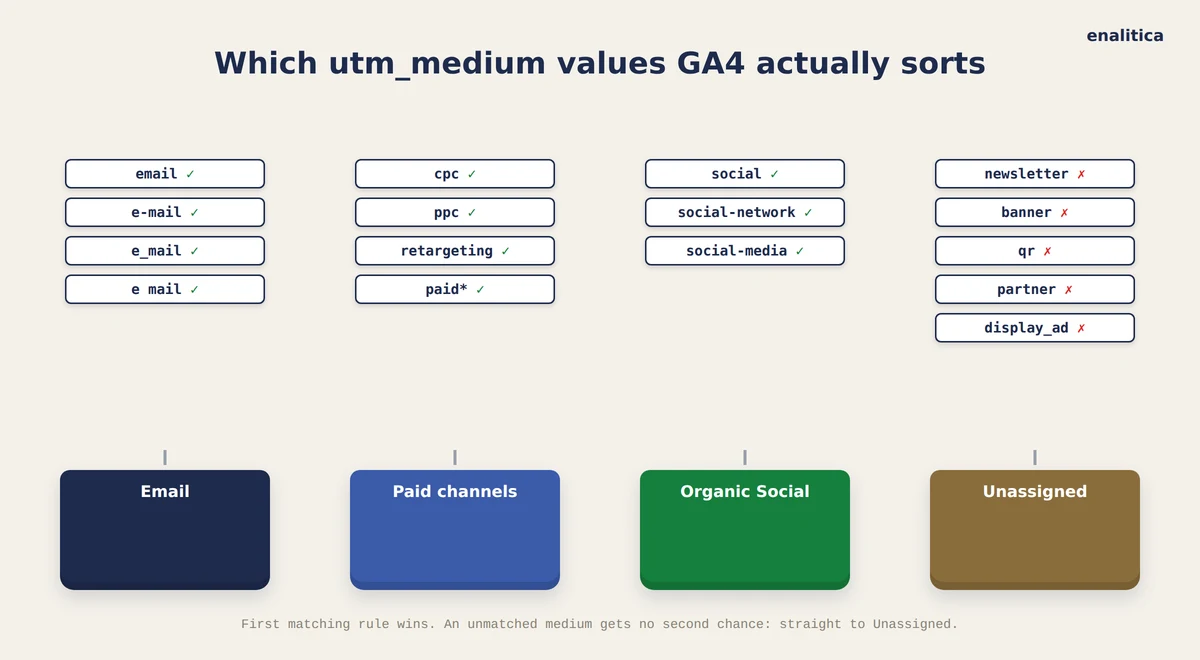
| You tag the medium as | GA4 files the session under |
|---|---|
email, e-mail | Email ✓ |
newsletter | Unassigned ✗ |
cpc, ppc, paid_social (known source) | Paid Search / Paid Social ✓ |
paid (unknown source) | Paid Other |
social (known platform) | Organic Social ✓ |
ai-assistant (set by GA4 from an AI referrer) | AI Assistant ✓ |
banner, display_ad, qr, partner | Unassigned ✗ |
Two rows deserve a second look. The newsletter row is the single most common self-inflicted wound we encounter, common enough that we gave it its own guide on UTM parameters for email, and Enalitica's email view was built to accept the newsletter medium precisely because GA4 never will. The paid row shows the subtler trap: the paid regex is greedy, so a paid medium with a source GA4 cannot place lands in Paid Other, a channel most reports never surface, which can feel like traffic vanished when it merely moved to a row nobody opens.
One row is new. GA4 added an AI Assistant channel: when the referrer matches Google's list of AI assistants, GA4 sets the medium to ai-assistant itself, so ChatGPT or Perplexity visits no longer fall into Referral or Unassigned. The volume is still small: in Enalitica's data, last 90 days to 28 September 2026, AI Assistant was 0.5% of more than 1 million GA4 sessions.
GA4 will not learn your naming convention. Either your tags learn GA4's rules, or your analytics tool learns your tags.
There is no fuzzy matching anywhere in the rule chain, which is why a typo never gets a second chance: once every rule has rejected the medium, there is no fallback heuristic, only Unassigned.
How Much Unassigned Traffic Is Normal in GA4?
A property with its tagging in order runs Unassigned well under 1%. In Enalitica's data, last 90 days to 28 September 2026, Unassigned was 0.3% of more than 1 million GA4 sessions, while Direct was 23.7%. Zero is not a realistic target, because some fraction of the web will always arrive with values nobody controls, but a share in the high single digits already says something on your side is mis-tagged.
What deserves attention is movement. A jump from 1% to 10% in a week is not the internet getting messier; it is a specific change on your side, most often a newly launched email campaign with home-made tags, a new tool that appends its own parameters, or a tracking template someone edited on a Friday. Because the cause is usually one recent change, the diagnosis is usually one look at the source/medium report, filtered to the Unassigned channel and sorted by sessions, where the offending value tends to sit at the top with suspicious volume.
This check takes five minutes and belongs in the same routine as your conversion tracking audit, right next to the Direct share check.
How to Fix Unassigned Traffic Step by Step
The repair is mechanical, which is the best property a data problem can have. Work through it in order:
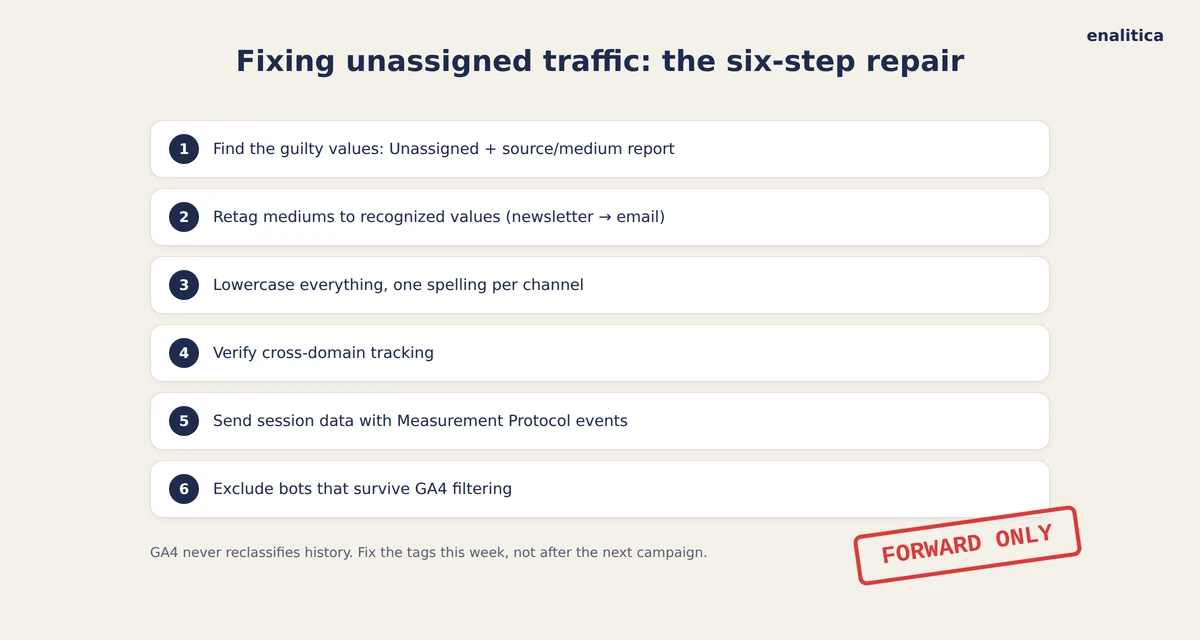
- Find the offending values. Open Traffic acquisition, filter to Unassigned, add source/medium as a dimension and read the top rows; they name the guilty tags directly.
- Retag mediums to recognized values. Move
newslettertoemail,bannertodisplay, and any creative paid variant tocpcorpaid_social, keeping the creativity inutm_campaignandutm_contentwhere it does no harm. The full vocabulary, one table per channel, is in our UTM naming convention guide. - Standardize casing and spelling. Lowercase everything, one spelling per channel, written down in a shared document that new links are checked against.
- Verify cross-domain tracking if your funnel spans domains, so sessions stop restarting halfway with mangled attribution.
- Pass session attribution with Measurement Protocol events, or accept that server-fired events will pool in Unassigned.
- Exclude the bots that survive GA4's own filtering, using the engagement and geography signals from the bot guide linked above.
One honest caveat belongs in bold: retagging applies forward only. The default channel group never reclassifies history, so the Unassigned block in last quarter's default report is permanent. The one retroactive lever is a custom channel group: Google states that custom channel groups can be applied to reports retroactively, so a custom group that maps newsletter to Email cleans last quarter too, in the reports that use it. That is still an argument for fixing tags this week rather than after the next campaign, and one of the reasons order-level records age better than session-level ones.
Unassigned, Direct and Unknown Compared
Unassigned and Direct are both "unclassified", yet they fail at opposite ends of the pipe: Direct means the session arrived with no source information at all, while Unassigned means the information arrived and matched nothing. The third bucket, the order-level Unknown that Enalitica reports separately, means there is no session data behind the order whatsoever, usually because the customer declined analytics cookies or the order came in by phone.
The third bucket is the one that dwarfs the other two. Across more than 10,000 orders in the same window, in stores where the shop and GA4 are both connected, GA4's purchase events covered 76.6% of what the stores actually sold; the median store came in at 68.5%. The channel label on a session matters less than the roughly one order in four GA4 never saw at all.
We took Direct apart in detail in why direct traffic gets so high, and the practical takeaway carries over: the three gaps need three different repairs. Unassigned wants tag hygiene, Direct wants tagging of the links you control plus honesty about the rest, and Unknown wants consented first-party capture or a straight question to the customer, never a guess.
How Enalitica Classifies the Orders GA4 Leaves Unassigned
Enalitica reads the source and medium of an order directly instead of pushing them through GA4's locked rule chain, which changes the outcome for exactly the values this article is about. The newsletter medium counts as email in our reports, alongside clicks from 17+ email platforms and the webmail referrers GA4 files under Referral, so an email channel polluted across three GA4 rows becomes one reconciled view. A bare paid medium lands with the paid channels instead of hiding in Paid Other, and a session GA4 marked Unassigned still gets its channel from the order's own evidence: a click ID, a UTM pair or a referrer that arrived with the purchase.
The same honesty rule from the Direct story applies in the other direction, because rescuing labels is only trustworthy when it stops at the evidence. An order with no signal at all is reported as Unknown, in its own row, and never quietly redistributed across channels; a statement like "our tool eliminates Unassigned" would just mean the guessing moved somewhere you cannot see it.
A label GA4 cannot read is still evidence. A missing label is not, and no tool should pretend otherwise.
If you want to see the difference on your own store, the fastest path is to pick a plan on the pricing page and compare your GA4 channel report with the order-level one after a week of data, ideally right after running the retagging checklist above so both systems get clean input.
Frequently Asked Questions
Is unassigned traffic bad for my GA4 reports?
A small share, well under 1% in a property with clean tagging and a few percent at most, is background noise that every property carries. It becomes a problem when it grows, because every Unassigned session is a visit some channel paid for or earned without receiving credit, which quietly distorts the comparison you use to allocate budget.
Can I reclassify historical unassigned traffic in GA4?
Not by retagging: the default channel group never reprocesses history, so new tags repair future data only. A custom channel group is the exception, since Google applies it to reports retroactively, within the limit of two custom groups per standard property. An order-based record goes further: Enalitica keeps the raw source and medium on each order, so its classification can improve retroactively without any limit on how many rules you write.
Does utm_medium=newsletter really end up unassigned?
Yes. GA4's Email channel accepts only the exact mediums email, e-mail, e_mail and e mail, so newsletter matches no rule and falls to Unassigned. Move newsletter into the campaign or source field and set the medium to email, or use a tool that accepts the newsletter medium as email, as Enalitica does.
Why did unassigned traffic spike after I connected a new tool?
Many tools append their own tracking parameters or rewrite UTM values with their brand's spelling, which GA4's rules do not recognize. Check the source/medium report for the tool's fingerprint in the top Unassigned rows, then adjust the tool's tagging template to emit recognized mediums.
Sources
The outside pages this article relies on. Links checked on 28 September 2026.
- Unassigned is the value Analytics uses when no other channel rule matches the event data (support.google.com)
- custom channel group (support.google.com)
Figures marked "in Enalitica's data" are aggregates from the real orders of the stores we measure, with no names and no individual orders. How we measure.
See your real numbers
Import 30 days of orders or leads during a 5-minute onboarding. Works for e-commerce and service businesses.
See plans and pricing