
UTM Naming Convention: One Page That Keeps Every Report Clean
A UTM naming convention your team can follow: which mediums GA4 accepts, a copy-paste standard for every channel, and a validator for links.

Tilen Ledic
Written by
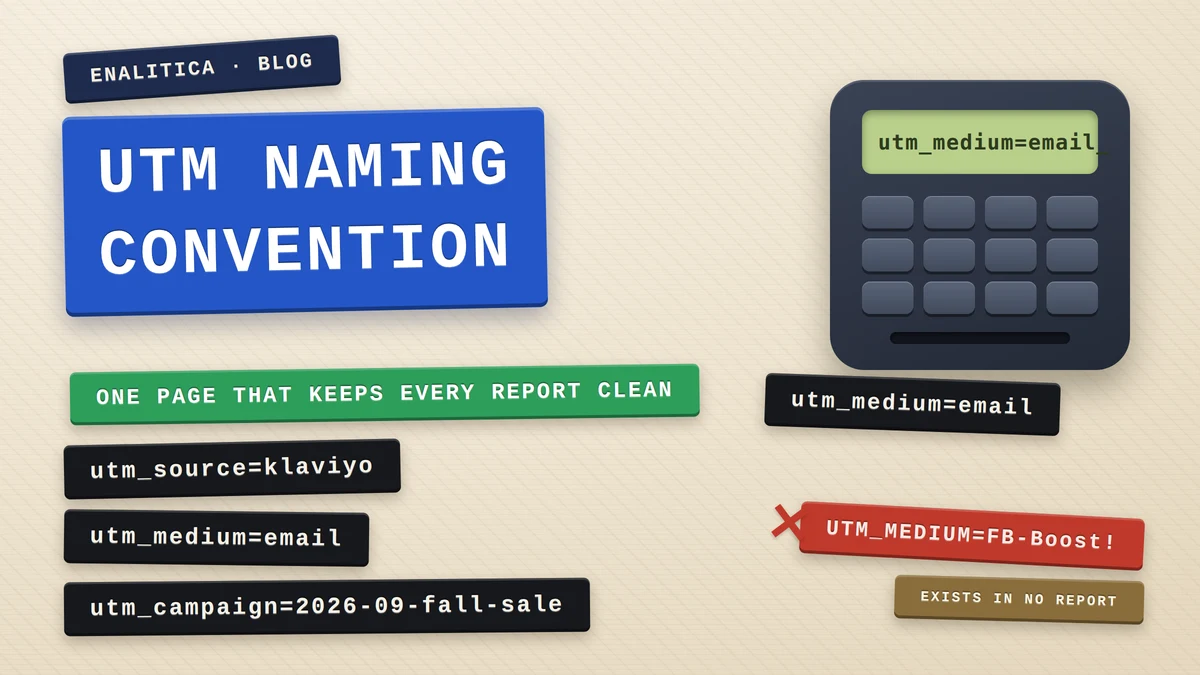
Every link you send into the world carries a label, and the label is permanent. A UTM naming convention is the one page that decides what those labels say, so that a year of campaigns reads as one clean report instead of forty spellings of the same channel. We wrote about tagging email and about the Unassigned bucket that swallows mistagged traffic; this guide is the missing standard both of those posts point at.
The reason it deserves a page of its own is unforgiving: no analytics tool rewrites history. A campaign tagged Email instead of email stays a separate row forever, in GA4 and in every tool that reads the same parameters. The convention costs ten minutes before the first send and saves every month after it.
There is one more reason to be careful that most UTM guides skip: the same tag is read by more than one system, each with its own rules. This post checks every recommendation against two of them, GA4's locked channel definitions and the classifier that files real orders in Enalitica, so the values below land correctly in both.
Why a UTM tagging standard fits on one page
A UTM tagging standard is a short set of rules that fixes what goes into each of the five UTM parameters: utm_source names the platform that sent the click, utm_medium names the type of traffic, utm_campaign names the specific push, and utm_content and utm_term carry the details. The rules fit on one page because only three decisions matter: a fixed vocabulary for mediums, a fixed format for campaign names, and lowercase everywhere.
The stakes hide in how reports work. GA4 groups sessions into channels by matching source and medium against its channel definitions, and the match is unforgiving about spelling. Whatever arrives in the URL is also stored verbatim by every order-based tool downstream, so a creative teammate's utm_medium=FB-Boost becomes a permanent row that joins with nothing.
A UTM label is written once, by whoever builds the link, and read forever, by every report. The convention exists so the writer and the readers agree in advance.
Which utm_medium values does GA4 actually accept?
GA4 accepts a short list of mediums per channel, and everything outside the list falls through to Unassigned or Referral. The safe vocabulary is small: email for email (exactly that spelling; newsletter is human-readable and lands in Unassigned), sms for text messages, social for unpaid social posts, affiliate for partner programs, referral for everything that is a plain link on someone else's site, and the paid family (cpc, paid_social and relatives) for ads.
Two properties of the matching cause most accidents. GA4's paid rule is a regex, ^(.*cp.*|ppc|retargeting|paid.*)$, so a paid medium with a source GA4 does not recognize lands in Paid Other, a channel most reports never surface. Case is the subtler one: Google says the channel definitions themselves are not case sensitive, so Email still reaches the Email channel, but UTM parameter values are case sensitive, so Email, EMAIL and email are three separate rows in every source and medium report.
In Enalitica's data (more than 1 million GA4 sessions, last 90 days to 28 September 2026), Unassigned was only 0.3% of sessions, so where tagging is in order the bucket stays small. The larger gap sits elsewhere: of the orders the stores actually had, only 76.6% ever produced a GA4 purchase event, and no naming convention can fix that.
Rather than memorizing the lists, test the link itself. The tool below builds a tagged link from channel presets or reads one you paste, the way the reports will, with both verdicts side by side:
UTM builder and validator
Build a tagged link from channel presets or paste an existing one. The tool shows which GA4 channel and which Enalitica channel the visit will land in, and flags the mistakes no report can fix retroactively.
✓ The tag is clean. This link will report exactly as written.
Pick a preset or fill the fields and the link assembles as you type.
The copy-paste UTM naming convention for every channel
One table covers every channel a store or service business realistically tags. It extends the 5-row email convention to everything else with the same logic: source = the platform, medium = the fixed vocabulary word, campaign = date plus name in lowercase dashes, content = position or variant, term = segment or creative.
| Channel | utm_source | utm_medium | utm_campaign example |
|---|---|---|---|
klaviyo, mailchimp | email | 2026-09-fall-sale | |
| SMS | klaviyo | sms | 2026-09-flash-24h |
| Organic social | facebook, instagram, linkedin | social | 2026-09-new-collection |
| Paid social (manual tags) | facebook, instagram, tiktok | paid_social | 2026-09-prospecting-si |
| Google Ads | auto-tagging, no manual UTMs | (GCLID) | or utm_campaign={campaignid} |
| Affiliates and partners | partner name, e.g. styleblog | affiliate | 2026-09-partner-launch |
| QR codes and packaging | packaging, flyer, box | qr | 2026-09-box-insert |
| Influencers | creator handle, e.g. jana | social, or affiliate if commissioned | 2026-09-jana-fall |
| Price comparison sites | site name, e.g. pricerunner | referral, or cpc if paid per click | 2026-09-feed |
The campaign format carries more weight than it looks. A date prefix in utm_campaign is what makes reports readable a year later, when sale-final-v2 tells you nothing and 2026-09-fall-sale sorts itself. Keep names lowercase with dashes, and put creativity into utm_content and utm_term, where variants belong.
The medium decides the channel, the source names the platform, and the campaign carries the date. Everything creative goes into content and term, where it cannot break anything.
A QR code on packaging deserves a special mention because it is the one channel where tagging is the only evidence there is: a scan has no referrer, so an untagged QR visit is indistinguishable from someone typing your address, a leak we measured in the guide to Direct traffic.
Should paid ads carry manual UTM parameters?
For Google Ads the answer is to prefer auto-tagging and let the GCLID do the work: it is added to every ad click, lets Google Ads and GA4 tie the click to its campaign and cost data, and cannot be misspelled, which is why it is the backbone of click-based proof in our guide to Google's click IDs. Manual UTMs on Google Ads links carry a trap that almost nobody documents: reports join manual tags to the ad account by campaign name, and that comparison is byte for byte exact. A utm_campaign=brand-si next to a campaign named Brand SI produces two rows that never merge, one with clicks and cost, one with orders and revenue.
If company policy requires manual tags on Google Ads anyway, use utm_campaign={campaignid}, the ValueTrack parameter Google fills with the campaign ID. The numeric ID cannot drift from the name, and Enalitica resolves those IDs back to campaign names automatically, so the join holds even when someone renames the campaign mid-flight.
Meta is more forgiving because the join runs case-insensitively, but the same discipline pays off. Tag Meta ads with utm_medium=paid_social and the platform's dynamic parameters for campaign names, and the retargeting campaigns that platforms encourage you to label utm_medium=retargeting will file correctly too, since both GA4's paid regex and Enalitica's classifier accept it as paid.
Where UTM parameters never belong
UTM parameters describe how a visitor entered your site, so they belong only on links that point at your site from outside: emails, ads, social posts, partner placements, QR codes. Two placements break measurement instead of helping it.
Never tag internal links. A UTM on your own navigation restarts the session with a fake source, and the ad that genuinely brought the visitor loses credit to your own menu banner. If you need to measure an internal placement, use a fragment or an internal parameter your analytics ignores.
Never tag links to platforms you do not measure. A UTM on a link from your site to your Instagram profile does nothing useful, because the parameters only matter on the return trip. Tag the links that come back.
Governance: the one-page sheet your team actually uses
A convention nobody can find is a convention nobody follows, so the last step is a shared sheet with one row per active campaign: the final URL, the five parameter values, the owner and the date. New links are built from the previous row, which keeps spellings consistent without anyone memorizing rules, and the sheet doubles as the campaign log your tracking audit will thank you for.
One rule gives the sheet teeth: a link that is not in the sheet does not exist. Agencies, freelancers and ESP templates all inherit the same rule, which matters because ESP defaults change under your feet: Klaviyo's default utm_medium was campaign and flow until its switch to message type on 2 June 2025, and every store that "just enabled UTMs" inherited the mess. Flows are the usual gap: in Enalitica's data, orders from email flows often arrive without a utm_campaign while campaign sends carry one, so a report keyed on utm_campaign shows those flows at zero revenue.
Write the convention once, keep it where links are built, and let the sheet answer questions before anyone invents a new spelling.
Set the convention as the default in every tool that builds links for you: the ESP's global UTM settings, the link builder your social team uses, the partner onboarding doc. Enalitica's own outbound email tooling ships with this exact convention hard-wired, so mail built there cannot leave untagged.
How Enalitica reads your UTM tags
Enalitica classifies orders, not sessions, and reads tags the way an owner would want: values are matched case-insensitively, newsletter counts as Email instead of falling into Unassigned, seventeen ESP sources are recognized even when the medium is missing, and affiliate mediums route revenue to the Affiliate view described in our affiliate attribution guide. The full paid vocabulary (ppc, display, banner, cpm, cpv and friends) files under the correct ad platform, and since September 2026 utm_medium=sms gets its own SMS channel, so Klaviyo text campaigns stop hiding inside email revenue.
The part no tag can deliver alone is proof. UTM parameters are one of four kinds of evidence Enalitica attaches to an order, next to click IDs, referrers and witnessed clean visits, and every attributed order keeps its evidence visible, so "this channel sold this much" is a claim you can click into, order by order. Orders with no evidence sit in an honest Unknown row instead of being guessed into channels.
Where the tag is wrong but readable, the report stays honest too: the Traffic overview keeps the raw source and medium visible as their own dimension, so a misfiled FB-Boost is findable and fixable for the next send, not silently swallowed.
Frequently Asked Questions
How many UTM parameters should a link carry?
Three are mandatory for clean channel grouping: source, medium and campaign. Content and term are optional but cheap, and they are the right home for link position, creative variant and audience segment, the details that otherwise tempt people into corrupting the campaign name.
Should utm_source be a domain or a name?
Pick one form and stay with it; the convention matters more than the choice. The common practice GA4's own lists follow is the bare platform name (facebook, google, klaviyo) rather than the full domain, and lowercase always.
What is the correct utm_medium for a QR code?
Use utm_medium=qr with a source naming the physical placement (packaging, flyer, poster). GA4 has no QR channel, so these visits land in Unassigned or Referral either way, but the tag keeps them out of Direct and lets any order-based report group them; Enalitica files them under Referral with the source preserved, so packaging scans stay countable.
Can I fix historical data after adopting a naming convention?
Only partly. GA4 keeps source and medium exactly as they arrived; a custom channel group can be applied to reports retroactively, which regroups old traffic, but a misspelled value stays misspelled in every source and medium report, and stored order attributions keep the values that arrived with the click. The convention protects traffic from the day it ships, which is the strongest argument for shipping it today.
Sources
The outside pages this article relies on. Links checked on 28 September 2026.
- its channel definitions (support.google.com)
- UTM parameter values are case sensitive (support.google.com)
- auto-tagging (support.google.com)
- ValueTrack parameter (support.google.com)
- its switch to message type on 2 June 2025 (help.klaviyo.com)
- custom channel group can be applied to reports retroactively (support.google.com)
Figures marked "in Enalitica's data" are aggregates from the real orders of the stores we measure, with no names and no individual orders. How we measure.
See your real numbers
Import 30 days of orders or leads during a 5-minute onboarding. Works for e-commerce and service businesses.
See plans and pricing