
Why Half Your WooCommerce Orders Say "Direct" (and How to Fix It)
Why WooCommerce orders say Direct: the built-in Order Attribution cookie is session-only, so returning buyers lose their traffic source. Fixes and limits.

Tilen Ledic
Written by
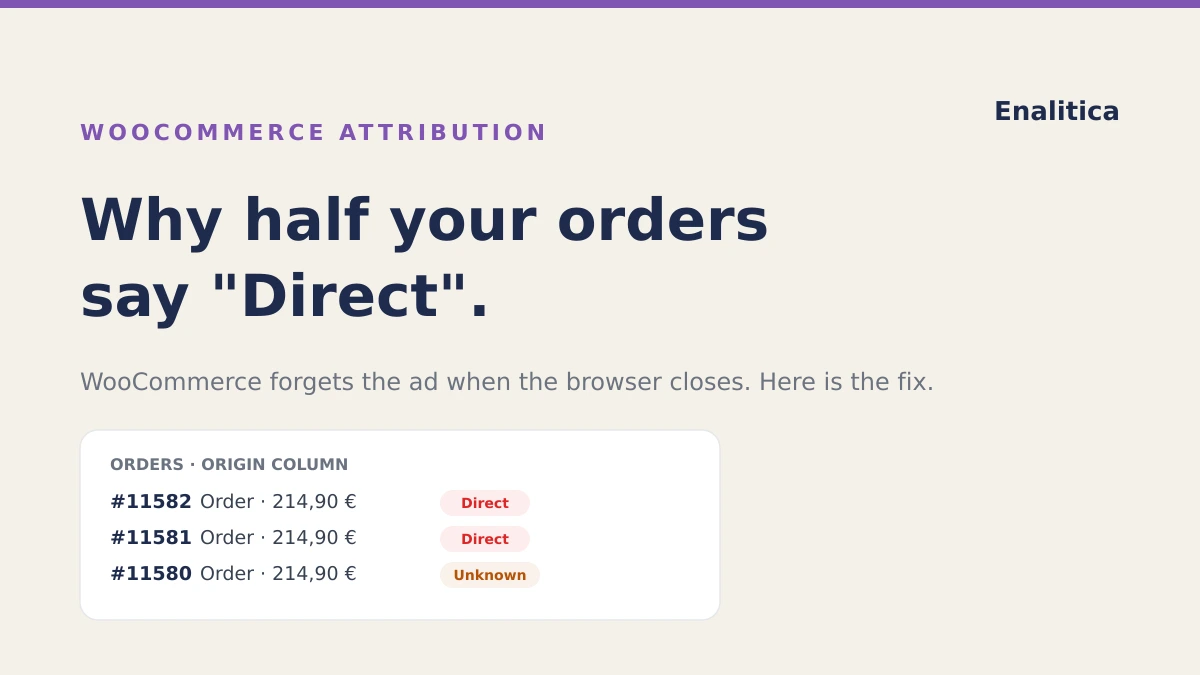
Open your WooCommerce orders list and look at the Origin column. If you are like the store owner in the WooCommerce support forum who found "more than half" of orders marked Direct, your first instinct is probably the right one: there is no way half your customers typed your address into the browser.
Some of them did, and a real slice did not: they clicked an ad or a Google result days earlier and came back from memory. WooCommerce orders say Direct because the built-in Order Attribution cookies are session-only: the browser closes, the cookie dies, and the returning buyer's real traffic source is gone. WooCommerce forgot, and it forgot by design. (If your store runs on Shopify, that platform has rules of its own; we mapped them in our guide to Shopify attribution.)
What WooCommerce Order Attribution Actually Is
Since WooCommerce 8.5 (9 January 2024), every store has a built-in attribution feature, enabled by default for new and existing stores. It records where each order came from: the Origin column in the orders list, an "Order attribution" panel on every order (source, campaign, device, session pages), and, with the free WooCommerce Analytics extension, channel and campaign reports.
To be clear: this feature existing is a good thing, and you should have it on. It is free, it runs on your own server data, and session-level last-click information beats flying blind. The problem is what it cannot see, and that problem is bigger than the docs make obvious.
Why WooCommerce Orders Say "Direct": the 0.00001 in the Code
WooCommerce tracks the visitor's source with a small library (sourcebuster.js) whose cookies, by the library's own default, live for six months. WooCommerce overrides that lifetime with a value you have to read twice:
wc_order_attribution_cookie_lifetime_months = 0.00001
That is in the WooCommerce source code, with a comment saying the default "forces Sourcebuster into making the cookies valid for the current session only". Woo's own documentation says it plainly: the cookies "expire with the visitor's session and cannot be used to track your visitors across multiple sessions or for remarketing". Why so short? Privacy is the stated reason, and the default-on launch drew GDPR questions that WooCommerce acknowledged publicly within weeks.
The consequence plays out in almost every real purchase journey:
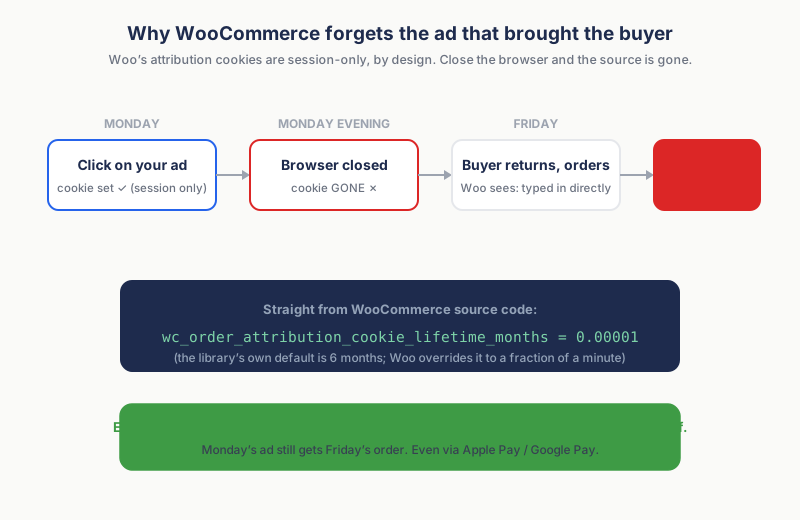
Monday's ad click sets the cookie, Monday evening the browser closes and the cookie dies, and on Friday the customer comes back (from memory, a bookmark, typing your name) and buys. If that buyer was new, "Direct" is stamped as their origin forever, and cross-device journeys (phone click, desktop purchase) lose attribution the same way, every time.
WooCommerce truthfully reports what it saw on Friday: Direct. The ad that created the sale on Monday gets nothing.
How often does that journey happen? In Enalitica's data, last 90 days to 28 September 2026, across more than 6,500 order journeys, 12.4% of orders were spread over two or more visit days, and among orders with a paid ad click in the journey, 29.5% were placed more than a day after that click. A session-only cookie forgets every one of those.
The honest counterweight, from the same data: even with a 90-day first-party memory, 24.4% of orders still ended on a direct visit, and only about 1 in 9 of those showed an earlier channel we could see. Most Direct is real Direct. The forgetting hits the minority of journeys that span days, which is exactly where paid clicks live.
Why Some WooCommerce Orders Say "Unknown"
"Unknown" is the other confusing label, and it has five documented causes:
- orders placed before the feature was enabled;
- consent management plugins (CMPs) blocking the tracking script, so nothing is recorded (WooCommerce fixed the JavaScript error this caused, but a blocked script still captures nothing);
- cached checkout pages serving empty attribution fields;
- a timing bug where valid UTM sessions still recorded Unknown, fixed in WooCommerce 10.5 (February 2026);
- and, the big silent one, express checkouts: orders paid via Apple Pay or Google Pay buttons saved empty attribution in the Stripe gateway until version 9.0.0 (December 2024), because they bypass the normal checkout flow; other express-checkout gateways can still do the same.
The 10-Minute WooCommerce Order Attribution Setup Check
- Confirm Order Attribution is on: WooCommerce → Settings → Advanced → Features → Order Attribution (default on since 8.5).
- Read your Origin column for the last 50 orders and count Direct + Unknown. That share is your data-quality KPI; for most ad-running stores it is uncomfortably large.
- Install the free WooCommerce Analytics extension for channel-level reports instead of eyeballing the column.
- Know what is NOT in there: no click IDs (gclid or fbclid are not stored as fields; at best they survive incidentally inside the landing-page URL), no cross-session memory, no cross-device stitching.
Optional hardening for developers: both the cookie lifetime and the 30-minute session length are filterable (wc_order_attribution_cookie_lifetime_months, wc_order_attribution_session_length_minutes). Extending them improves continuity, with three honest caveats: it re-raises the consent questions WooCommerce faced at launch, Safari's ITP caps cookies set from JavaScript at 7 days no matter what the filter says, and it does nothing for cross-device journeys or express checkouts. For capturing gclid properly, see our click-ID capture guide.
The session-only cookie is one broken station out of five; our complete guide to WooCommerce conversion tracking maps the whole journey from the ad click to the report, plugins compared and traps included.
How Enalitica Fixes WooCommerce Attribution Gaps
We built our WooCommerce attribution around exactly these gaps, and the fixes are mechanical, not modeled:
- 90-day first-party memory. Our tracking script stores click IDs (gclid, fbclid, and the rest), UTM parameters and the original marketing landing URL in first-party cookies that survive browser restarts. Monday's ad still gets Friday's order.
- We repair Woo's own fields, conservatively. At checkout, when Woo's attribution inputs are blank or "typein", we fill them from that 90-day memory, never overwriting a genuinely captured source. Your Woo admin's Origin column improves too, not just our reports.
- Express checkouts included. Our order-meta snippet hooks both checkout paths, classic and the Store API used by Apple Pay / Google Pay buttons, so orders a gateway saves with empty attribution still arrive with click IDs and their real source, whether or not the gateway has fixed its own gap.
- The click ID lives on the order. Once captured, it is order metadata: permanent, auditable, and the basis for attribution that reconciles to real orders, keyword-level Google Ads detail, and profit per campaign.
Woo's feature describes the session that placed the order, honestly but forgetfully. Enalitica describes the customer journey that earned the order, and writes the evidence onto the order itself.
Frequently Asked Questions
Should I turn WooCommerce Order Attribution off?
No. Free, native, session-level data is strictly better than nothing, and other tools (including ours) can read what it captures. Just do not make budget decisions from its Direct share, because part of that "Direct" is forgotten ads from earlier days.
Why did my Direct share jump even though nothing changed in my marketing?
Common culprits: a consent-mode or caching change on your site, a new express-checkout button (Apple Pay / Google Pay orders save empty attribution), or simply more returning buyers, whose repeat sessions legitimately start direct. Check the Unknown share alongside; the two together tell you whether it is a tracking problem or a customer-behavior pattern. For the site-wide GA4 picture beyond WooCommerce, see why direct traffic gets so high.
Does WooCommerce store the gclid?
Not as a field. Attribution stores UTM parameters and a referrer-derived origin; a gclid can incidentally survive inside the stored landing URL, but nothing parses it and it dies with the session cookie. If you run Google Ads, capture the gclid into order meta explicitly, via a snippet, a plugin, or Enalitica's tracking, which does it automatically.
Can I trust the Origin column for judging campaigns?
Use it directionally, never proportionally. It is last-click within a single browser session, with no last non-direct click memory across sessions, so it systematically over-credits brand search and direct, and under-credits the prospecting ads that start journeys. For spend decisions you need attribution with cross-session memory and, ideally, profit per campaign.
I use Enalitica. Do I still need Woo's attribution on?
Yes, leave it on. We read Woo's attribution as one of our signals and repair it where it is blank, so the two work together: your Woo admin stays informative, and Enalitica adds the 90-day memory, click IDs, express-checkout coverage, and order-reconciled reporting on top.
Sources
The outside pages this article relies on. Links checked on 28 September 2026.
- WooCommerce support forum (wordpress.org)
- WooCommerce 8.5 (9 January 2024) (developer.woocommerce.com)
- WooCommerce Analytics extension (woocommerce.com)
- in the WooCommerce source code (github.com)
- "expire with the visitor's session and cannot be used to track your visitors across multiple sessions or for remarketing" (woocommerce.com)
- acknowledged publicly (developer.woocommerce.com)
- fixed the JavaScript error this caused (github.com)
- valid UTM sessions still recorded Unknown (github.com)
- saved empty attribution (github.com)
- Safari's ITP caps cookies set from JavaScript at 7 days (webkit.org)
Figures marked "in Enalitica's data" are aggregates from the real orders of the stores we measure, with no names and no individual orders. How we measure.
See your real numbers
Import 30 days of orders or leads during a 5-minute onboarding. Works for e-commerce and service businesses.
See plans and pricing